 Maytinhcongnghiep
What a fanless computer is and when you need one
Many people think fanless means “a quiet machine”. Quiet is just a side effect. The real value is that it removes the only moving part in the machine — and with it, the opening that pulls dust inside.
How a fanless machine sheds heat
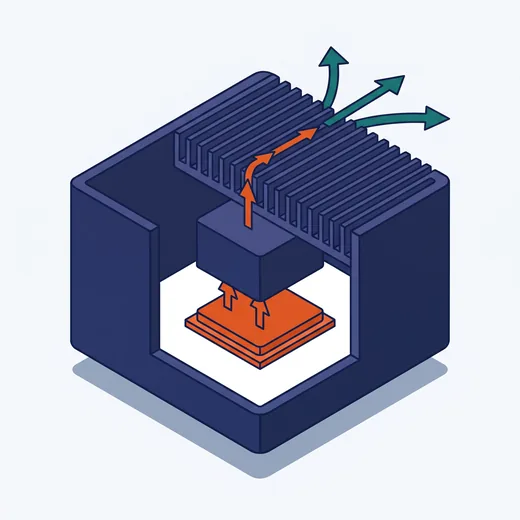
The entire case is the heatsink. Thick cast aluminium, finned, in direct contact with the CPU through a thermal block. Heat conducts from the chip to the case and radiates into the surrounding air — no airflow required.
That is why fanless machines are usually heavier and thicker than a mini PC of the same configuration. If it feels heavy in the hand, that is a good sign, not a drawback.
Why the fan is the weak point
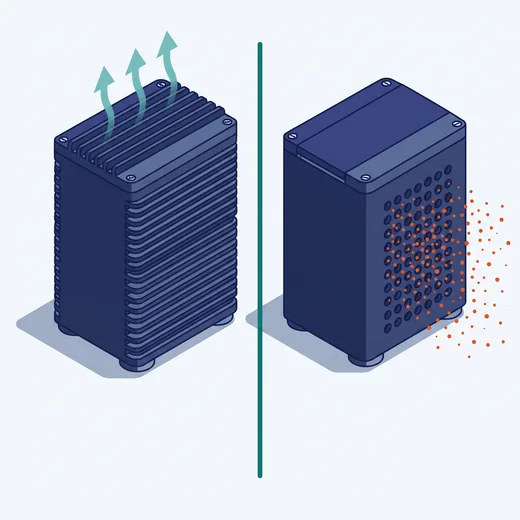
- The fan pulls dust inside. In a machining shop, metal dust mixed with oil settles on the board and forms a thin conductive layer, causing intermittent faults and then permanent failure.
- A fan is a mechanical part with a service life. Bearings wear, the fan gets noisy, then stops. If the fan stops and nobody notices, the machine shuts itself down from overheating.
- A ventilation slot is an entry path for everything. Moisture, insects, water splashes.
In exchange, a sealed machine has no forced cooling path — so fanless always comes with lower-power CPUs. That is a genuine trade-off; there is no fanless machine that is “both sealed and powerful”.
When to choose fanless
Almost always, if the machine sits outside an office environment. Specifically:
- Inside electrical cabinets, including sealed ones
- Workshops with dust, metal chips, oil, powder
- Places that must run continuously for years with little supervision
- Mounted on machinery or vehicles — anywhere with vibration
- Cold storage, outdoors, damp locations
When fanless is not enough
When you genuinely need high performance: multi-camera image processing, AI on a discrete GPU, or a high-power multi-core CPU. At that point the heat load exceeds what passive cooling can shed and a fan becomes mandatory — but an industrial fan with a dust filter, replaceable, and the machine should still sit in a cabinet with filtered air.
Some product lines offer a middle path: a fanless machine that can take an external fan kit when running a high-power CPU. This lets the same machine run in two modes depending on the need.
Reading the datasheet correctly
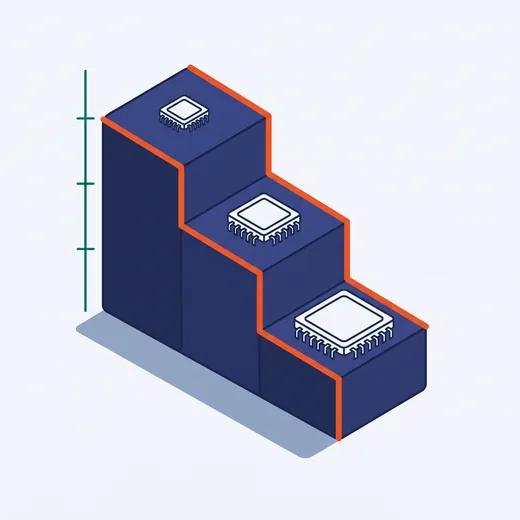
Fanless machines with a wide temperature rating usually carry conditions. A popular series, for example, states:
−40 ~ 70°C with a 35W CPU · −40 ~ 60°C with a 45W CPU, external fan kit fitted · −40 ~ 50°C with a 65W CPU, external fan kit fitted
Which means the 70°C figure is only valid for the weakest CPU. Fit a more powerful CPU and the range drops — and you have to buy the fan kit on top. This is where machines are most often mis-selected.
And ventilation for the cabinet
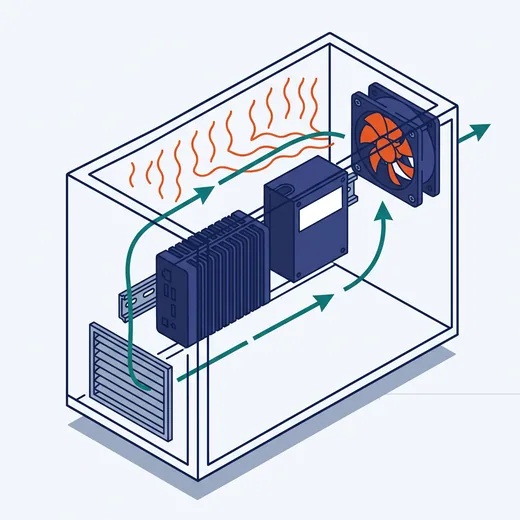
A machine rated for 70°C does not mean it is fine to let the cabinet reach 70°C. Running at the limit all day ages components fast, especially capacitors and storage drives. If the cabinet is sealed and holds several heat-producing devices, plan a ventilation fan for the cabinet or choose a cabinet with exhaust openings.