 Maytinhcongnghiep
EmCOMe-i96
One series, 4 configurations. The configurations differ in 4 CPU options — everything else is identical.
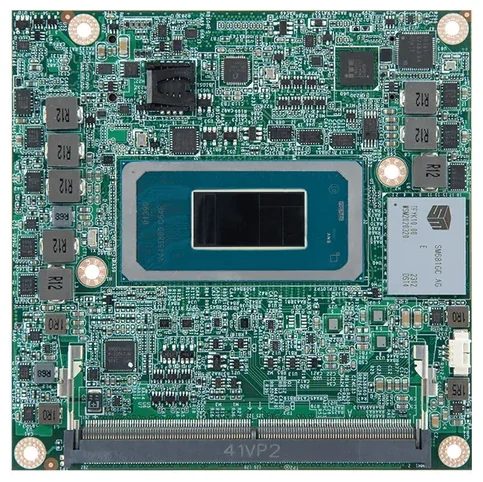
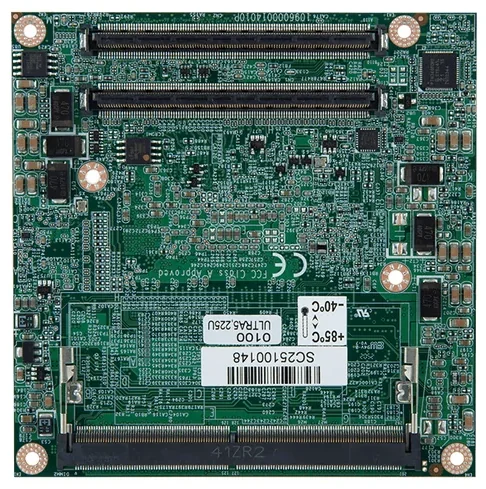
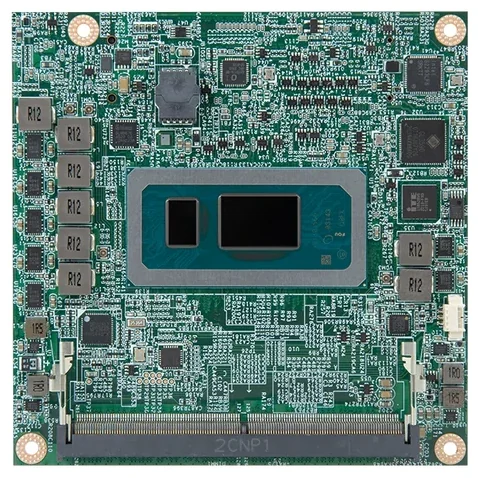
True for every configuration in the series
The items below stay the same whichever configuration you pick — no need to re-check after choosing.
- Operating temperature range
- -40 ~ 85 °C
- COM ports
- 2 ports
- LAN ports
- 1 ports
- Power over Ethernet
- No PoE
- Digital I/O (DIO)
- No
- Cooling
- Fan-cooled
Choose a configuration
Filter quickly, then click a model number for the full specs. Not sure which one, send us your installation conditions and our engineers will pick for you.
Showing 4 / 4 configurations
| Select for comparison | Model number | CPU | Environment | Ports · I/O | Reference price |
|---|---|---|---|---|---|
| EmCOMe-i96U0-225H | Core Ultra 5 225H 1.7GHz / 4.9GHz (Turbo) | -40~85°C Fan-cooled | 2 COM · 1 LAN — | ||
| EmCOMe-i96U0-225U | Core Ultra 5 225U 1.5GHz / 4.8GHz (Turbo) | -40~85°C Fan-cooled | 2 COM · 1 LAN — | ||
| EmCOMe-i96U0-255H | Core Ultra 7 255H 2.0GHz / 5.1GHz (Turbo) | -40~85°C Fan-cooled | 2 COM · 1 LAN — | ||
| EmCOMe-i96U0-255U | Core Ultra 7 255U 2.0GHz / 5.0GHz (Turbo) | -40~85°C Fan-cooled | 2 COM · 1 LAN — |
No configuration matches these filters. Remove a condition, or ask an engineer — the version you need may be orderable even if it is not on the site.
Tick 2–3 configurations in the first column to put them side by side — the comparison page highlights exactly the cells that differ, so you don’t have to scan every row.
Not sure which configuration fits?
Describe the installation site — temperature, vibration, power supply, devices to connect — and IPC247 engineers will build a complete configuration for those conditions.